Active installs
100+
Subscription includes
Support
As your store grows, managing order cancellations effectively becomes essential. By default, WooCommerce sends cancellation notifications only to the admin, leaving customers in the dark. Order Cancellation Email to Customer bridges this gap by automatically notifying customers whenever their order is canceled. You can also create and select custom cancellation reasons, such as stock shortages, failed payments, or delivery issues, which are automatically included in the email so customers stay fully informed.
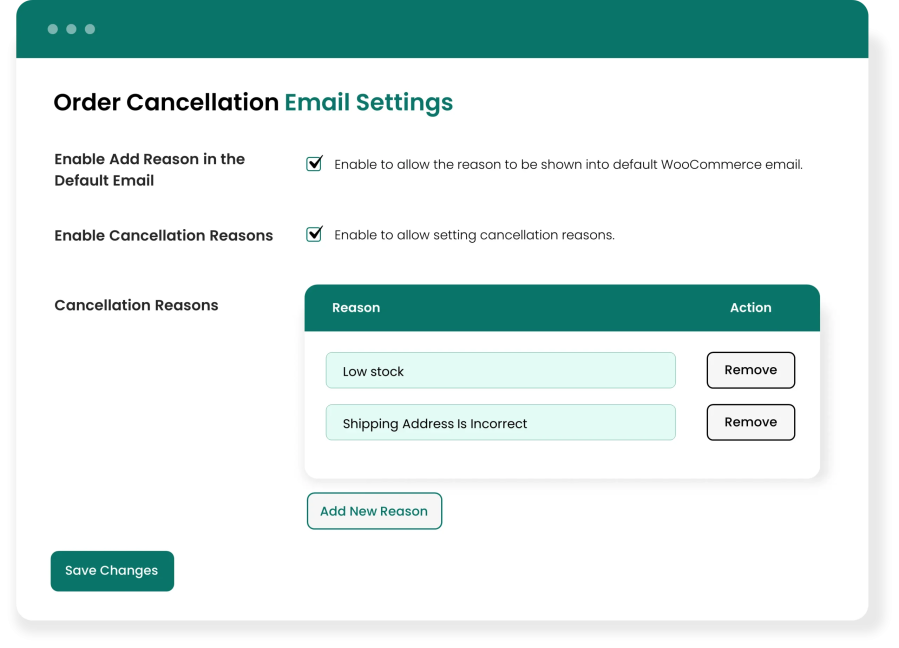
Allow customers to know exactly why their order was canceled with Order Cancellation Email to Customer for WooCommerce; create custom reasons that match your needs, such as “Out of Stock,” “Payment Failed,” etc. Once you add a reason and select it while canceling an order, it is automatically included in the cancellation email. Customers get a clear explanation, which means fewer support queries and more time saved for your team. You can also add, edit, or delete reasons whenever you need.
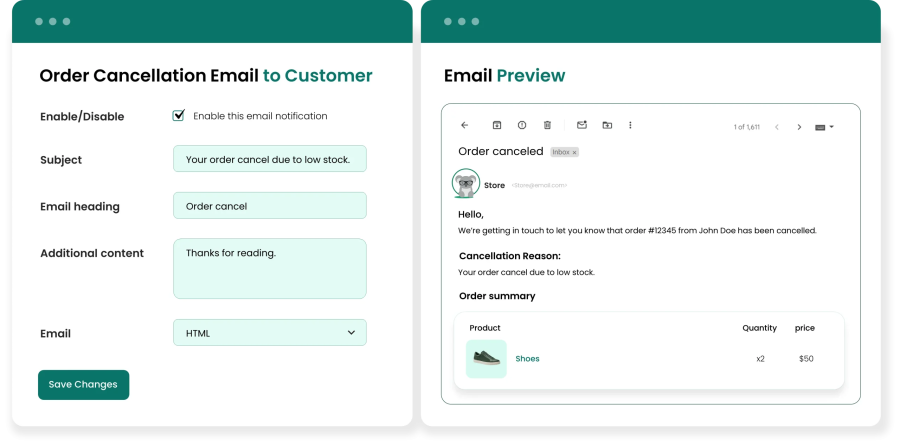
Make every cancellation email feel like it came from your store. Add a custom email subject and heading using order variables like the site title and order number to give each email a personal touch. You can also add extra content, preview the email template before it goes live, and enable or disable the email at any time. With these customized emails, customers can easily understand exactly what happened to their order.
Extension information
Quality Checks
Countries
Languages